Description
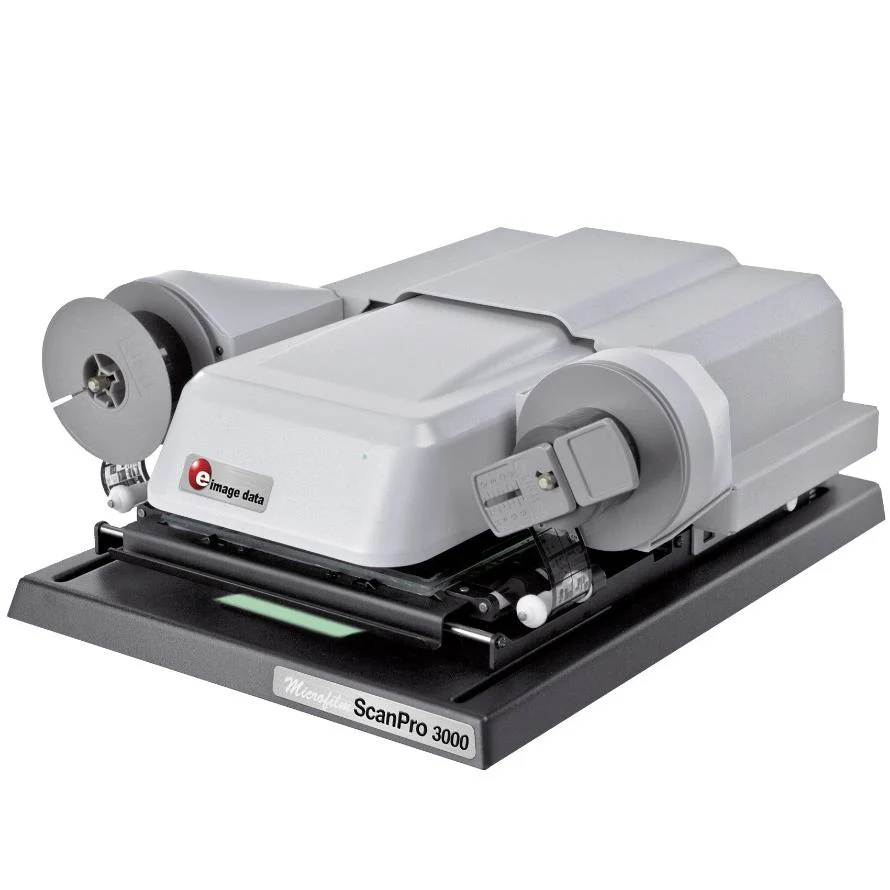
The ScanPro 3000 Digital Microfilm Scanner
High Performance. 26 Megapixel Camera (6.6 MP image sensor x 4) with integrated pixel-shifting technology). Clearest Image in Industry.
The ScanPro 3000’s 26 megapixel camera1 is the only camera in the micrographic industry to utilise pixel-shifting technology to provide the best image on the market. With its high performance and 26 megapixel camera1, the ScanPro 3000 captures clean crisp images that make research and looks-up fast and easy. Paired with OCR software using ABBYY® Fine Reader, you have the best image-producing scanner available today.
Key Features of the ScanPro 3000 include:
- 26 megapixel camera: (6.6 image sensor x 4) with integrated pixel-shifting technology, the largest pixels in the industry and over 7 times larger than the nearest competitor
- Automatically scans roll film, fiche and jackets, straighten and crop, file formats include PDF, TIFF, JPEG and unlimited scans up to 20 images per minute (AUTO-Scan)
- Live image editing, select any area (or multiple areas), adjust brightness, contrast, redact or whiteout for any selection with a single click (SPOT-Edit)
- Automatically adjusts brightness, contrast, straightens an crops with a single click (AUTO-Adjust)
- Continual image focus even during optional zoom (FOCUS-Lock)
- Print, scan and save to multiple file formats
High Resolution
The ScanPro 3000 microfilm scanner features a True 26 megapixel camera*, nearly twice the optical resolution of any microfilm scanner. The ScanPro 3000’s camera uses proprietary technology developed by e-ImageData to capture 26 Megapixels* of optical image information using a conventional sensor. This provides customers with exceptional image quality never before seen in the micrographics industry, and all at an affordable price. The optical resolution is over 500dpi on a letter page and saved files are both archival-quality and small in size.(*6.6 MP image sensor x 4 with integrated pixel-shifting technology)
Powerful Software
The ScanPro 3000 features a customisable interface that keeps the tool bar simple. Just load your film, click the Film Selection Wizard to automatically set up your scanner, and voilà — your scanner is set up with only the tool bar controls needed for that particular film. The interactive on-screen help menu is always available at your fingertips for questions or more information about how to use any button control. Use the spot-edit feature for live image editing of selected text and pictures while all other areas remain unchanged. In addition, the AUTO-Adjust tool automatically straightens the on-screen image and properly adjusts brightness and contrast, making your image clear and easier to work with. Some patrons have referred to this as the “magic button” but we assure you, no magic is required.